01
One portrait in
No dancing, filming or editing skills required. Start with a clear photo and let the fixed motion reference carry the performance.
One photo in. The whole attitude out. Drop yourself into a polished 9:16 dance clip built around the Bby Wow bounce, stare and walk-off, without learning the steps or setting up a camera.
Featured videos are credited trend references, not renders produced on this site.
9:16 / 720pThe Bby Wow studio
A focused tool with three decisions, not twenty. Your portrait, the length and the render. Everything else is built in.
AI renderer
Use one adult, front-facing, in even light. Head to knees or full body works best. No sunglasses, heavy filters, celebrities or public figures.
Photo and output safety checks are included.
Trend board
A quick study in entrance, stare and exit. These are credited TikTok trend references, not renders from this product.
Reference clips remain the property of their creators and are shown for trend context only.
Make my Bby Wow videoThree moves
Upload a clear portrait, choose the cut and let the motion reference do the choreography. You get a finished, AI-labelled vertical clip for your camera roll.
Start with your photoChoose one well-lit photo of the authorized adult who should star in the clip. JPG, PNG or WebP up to 10 MB.
Use 6 seconds for a quick hook, 10 for the stare and turn, or 15 for the full Bby Wow dance-inspired sequence.
Our fal.ai rendering job creates a 720p, 9:16 MP4. Download it from the generator or your private video library.
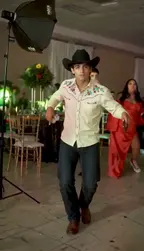
Generated dance clip
Made with Bby Wow AI
Upload a clear portrait, choose the cut and let the motion reference do the choreography. You get a finished, AI-labelled vertical clip for your camera roll.
Know the moment
Bby Wow is the dance and sound trend associated with KAROL G, Judeline and rusowsky's song "BbY WOW". The short videos share a recognisable rhythm: a loose bounce, hands to the head, a deadpan stare and a confident turn away from the camera.
Bby Wow AI is an independent AI dance video generator inspired by that format. It uses a licensed motion reference and your authorized portrait to create a new, clearly labelled AI clip. We are not affiliated with the artists, labels, TikTok or the original creators.
STILL
PHOTO,
MOVING
MOMENT.
Independence note: Bby Wow AI is not affiliated with the artists or social platforms behind the trend.
The build
No dancing, filming or editing skills required. Start with a clear photo and let the fixed motion reference carry the performance.
Make a fast 6-second hook, a 10-second reaction clip or the full 15-second dance-inspired sequence.
Every output is a 9:16, 720p vertical MP4 designed for Reels, Shorts and TikTok.
Rendering uses Wan 2.2 Animate Replace through fal.ai. Output quality can vary with the source photo.
Uploads are used for your render and deleted automatically 7 days after upload. There is no public gallery; your video library is tied to your account.
Buy only when you need credits. They never expire, and a confirmed failed render is refunded to your balance automatically.
Use the moment
Skip the rehearsal. Upload a portrait, choose your cut and make a Bby Wow AI Dance Video you will actually want to post.
01 / idea
Post a cinematic version of yourself walking into the Bby Wow moment. Keep the AI label on and let the comments do the rest.
02 / idea
Make a clean version of your own portrait, then challenge friends to spot the artificial details before they read the disclosure.
03 / idea
Use a short Bby Wow clip as the opening beat for a style, music or comedy edit. Export once and build your story around it.
Simple pricing
One credit equals one second of video. No subscription, no expiry, no surprise renewal.
From $8.90 / one-time
Before you buy: how to get a great Bby Wow videoOne short test or a full 15-second cut
$8.90
20 credits
≈ 3 videos of 6 s
Enough credits for three full clips
$17.90
60 credits
≈ 10 videos of 6 s
For creators making more than one moment
$26.90
100 credits
≈ 16 videos of 6 s
Prices in USD. Taxes are calculated at checkout by our payment partner.
Clear answers about photos, output, credits and AI safety. Need more help? Reach the support team.
Contact supportBby Wow AI is a Bby Wow video generator that turns one authorized portrait into a short, vertically framed AI dance clip inspired by the trend. Choose 6, 10 or 15 seconds and download an AI-labelled MP4.
Where the Bby Wow dance came fromA recent, sharp photo of one adult facing the camera in even light. Head-to-knees or full-body framing works best. Avoid group photos, sunglasses, heavy filters and photos of minors, celebrities or public figures.
Photo tips for a better Bby Wow videoMost clips finish in a few minutes, depending on length and queue demand. You can close the page; progress and finished videos stay in My videos.
Each second of video costs one credit. A 6-second clip uses 6 credits, a 10-second clip uses 10 and a 15-second clip uses 15. Credits never expire, and confirmed rendering failures are refunded automatically.
Only if you have documented permission from the adult shown. Photos of minors, celebrities or public figures are not allowed. Face swaps, impersonation, political content and intimate scenes are prohibited.
The launch renderer is Wan 2.2 Animate Replace, provided through fal.ai. The model and resolution are shown again inside the generator and in our Terms of Service.
Uploads are used only to make your video and are deleted automatically 7 days after upload. Finished videos are kept for 30 days after they finish. You can delete them earlier from My videos, and account deletion removes your stored media.
No. Bby Wow AI is an independent creative tool. It is not affiliated with KAROL G, Judeline, rusowsky, their labels, TikTok, ByteDance or the original trend creators.
Your turn / 9:16
Skip the rehearsal. Upload a portrait, choose your cut and make a Bby Wow AI Dance Video you will actually want to post.
Make my Bby Wow video